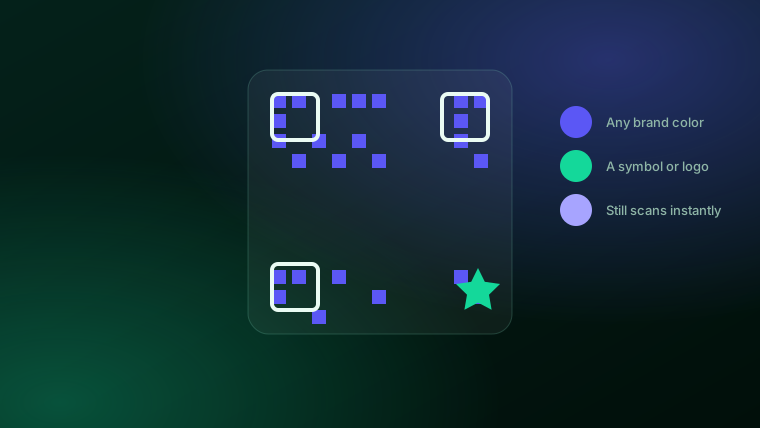
The plain black-on-white QR code is just the default, not a requirement. The format was built to be forgiving — it carries spare, redundant data so it can still be read even when part of it is covered or recolored. That's exactly what lets you brand one. The trick is knowing which changes are safe and which ones quietly break the scan.
The one rule: contrast
A phone camera reads a QR code the same way your eye reads text on a page — by telling the dark parts from the light parts. So the single rule behind every good-looking code is contrast: the code (the "ink") needs to be clearly darker than its background.
A deep brand color — navy, forest green, burgundy, charcoal — on a white or very light background scans just as reliably as plain black. Where codes fail is when the two colors are too close in brightness: a medium-gray code on a beige background, a pastel on white, or a light color on a dark background (an inversion phones often refuse). If you can squint at it and the pattern nearly disappears, a camera will struggle too.
What you can actually customize
There are three safe places to make a QR code your own, and Meridian gives you all three:
| What you change | Safe to do? | Why |
|---|---|---|
| The code color | Yes | Any color that stays clearly darker than the background |
| The background color | Yes | Any color that stays clearly lighter than the code |
| A logo in the center | Yes | Built-in error correction covers a modest center logo |
| A symbol in the corner | Yes | It sits in the outer margin, never over the scannable pattern |
| Restyling the square grid itself | Risky | The square pattern is what makes the code readable |
That last row is the honest dividing line, and it's the key to the "circular QR code" question below.
Color
Pick a foreground and a background. Your brand's primary color for the code, white or a light tint behind it, and you have a code that looks like it belongs on your material instead of a generic printout. For the full walkthrough of building one, see the complete guide to custom QR codes.
A logo in the center
QR codes reserve part of their data for error correction — the reason a code with a coffee-ring on it still scans. That same slack lets you drop your logo in the middle, with a small clean space around it, without breaking the read. Keep it modest (roughly the center fifth of the code) and it stays reliable.
A colored symbol in the corner
Meridian can also place a small symbol — a diamond, a dollar sign, a health cross, a house, an arrow, and more — in the outer margin of the code, in any color you choose. Because it sits in the quiet border outside the scannable grid, it's purely decorative and never risks the scan. It's a quick way to signal what the code is for — a price, a property, an appointment — at a glance.
Make a QR code in your colors
Pick your brand colors, drop in your logo, add a symbol — and get a clean, trackable code for menus, flyers, signs, and packaging.
See pricing →What about a "circular" QR code?
This one comes up a lot, so it's worth being straight about. A QR code's scannable pattern is always a square grid — that's part of the standard, and it's what lets any phone find and read it from any angle. So there's no such thing as a truly round QR code where the data itself is a circle.
When people search for a "circular QR code" or a "circle QR generator," they usually mean one of two things:
- A round frame or label around a square code — a circular sticker, badge, or "scan me" ring with a normal square code inside it. This is a graphic-design treatment, not a change to the code, and it's completely safe.
- Rounded or dot-styled modules — some tools restyle the little squares into dots or rounded shapes for a softer look. It can look nice, but it's cosmetic styling of the same square grid, and heavy styling can make a code fussier to scan on older phones.
Meridian's approach is deliberate: we keep the scannable grid clean and square — the version that always reads — and give you the customization that carries no scan risk at all, which is color, a center logo, and a corner symbol. If a fully round-framed look is what you're after, you can print any of our codes inside your own circular badge or sticker and it'll scan fine.
Colors that work vs. colors that don't
- Works: a dark brand color (navy, forest, burgundy, charcoal) on white or a pale tint.
- Works: black or near-black on a soft brand-colored background.
- Risky: two medium tones close in brightness (gray on tan, teal on green).
- Often fails: a light code on a dark background — many phone cameras won't read an inverted code.
- Fails: a gradient or photo directly behind the code with no solid quiet space around it.
When in doubt, test it before you print: pull it up on screen and scan it with two or three different phones, including an older one. A code that's going on something expensive to reprint — a banner, a yard sign, packaging — is worth thirty seconds of checking.
The bottom line
Black and white is the default, not the law. Use your colors, add your logo, add a symbol — just keep the code clearly darker than its background and leave the square grid alone, and you get something that's unmistakably yours and still scans on the first try. That's the whole game: brand it as much as you like, right up to the line where a phone can still read it.
Frequently asked questions
Do QR codes have to be black and white?+
No. The colors of a QR code are a design choice, not a technical requirement. You can use your brand colors for the code and the background, and add a logo or a colored symbol, as long as the dark part stays clearly darker than the light background so a phone camera can still read it.
Can a QR code be any color?+
Almost. The one rule is contrast: the code needs to be noticeably darker than its background, the way dark text is readable on a light page. A dark brand color on a white or light background scans reliably. Very light codes, or a light-on-dark inversion, are where phones start to struggle.
Can you make a circular QR code?+
A QR code's scannable pattern is always a square grid — that's part of the standard that makes it readable. What people usually mean by a circular QR code is a round frame, sticker, or label around a standard square code, or a rounded styling of the dots. Meridian focuses on the customization that never risks the scan: your colors, a centered logo, and a colored corner symbol, on a clean square code.
Will a colored QR code still scan?+
Yes, as long as there's enough contrast between the code and its background. Meridian's generator shows a live warning when the two colors are too close in brightness, so you can fix it before you print — the most common reason a custom-colored code fails to scan.
Can I put my logo in the middle of a QR code?+
Yes. QR codes carry built-in error correction, so a modest logo in the center still leaves enough of the pattern for a reliable scan. Meridian places your logo in the center with a clean knockout behind it, and can also add a small colored symbol in the outer margin without touching the scannable area.