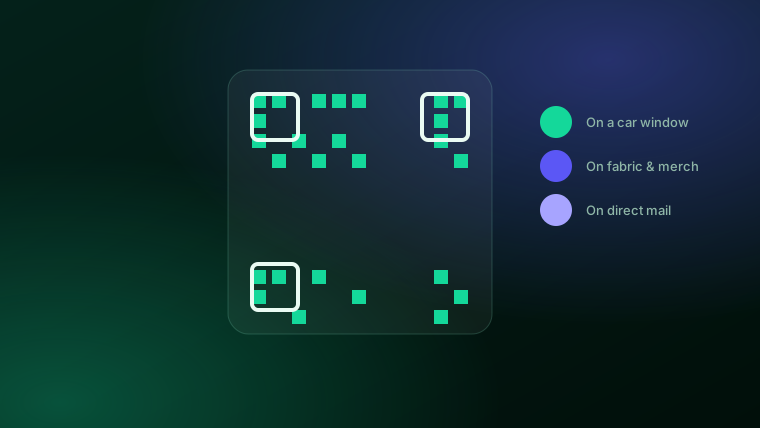
People overthink where a QR code can go. The truth is that the surface matters far less than the physics of scanning. A phone camera needs to see a sharp, high-contrast pattern of dark squares on a light field, held steady for a fraction of a second. Give it that, and a code works on a car door, a canvas bag, or a mailed postcard just as reliably as on a laminated menu. Get any of it wrong — too small, too shiny, inverted colors, crowded margins — and the fanciest placement in the world goes unscanned.
This guide walks through the placements small businesses ask about most, and for each one gives the honest, practical detail: how big to print, how to handle the surface, and what quietly kills the scan. First, the rules that apply everywhere.
The five rules that apply to every placement
Before you decide where, lock in how. These five hold true no matter the surface:
- Contrast: dark code on a light background. This is the one design rule you can't bend. Phone cameras are built to read a dark pattern on a light field. A light code on a dark background — an inverted or "reversed" look — fails on most phones, even though it looks sleek in a mockup. If you want brand color, tint the background light and keep the code itself dark.
- Size for the distance. A rough 10-to-1 rule works well: the code should be about one-tenth as wide as the distance people scan it from. Held in the hand at ten inches, roughly one inch is fine. Read from six feet away on a window, you want several inches.
- Keep the quiet zone. A QR code needs empty margin — the "quiet zone" — around all four sides so the camera can find its edges. Don't let text, a logo, or a border crowd right up against it.
- Watch the surface. Matte beats glossy, because glare from a shiny finish or a lamination can wash out the pattern. Flat beats curved, because a bottle or a sleeve bends the squares out of true.
- Always test-scan the real thing. Not the file on your screen — the printed proof, in the light and from the distance a customer will actually use. Do this before you commit to a big run.
Every placement below is just those five rules applied to a specific material.
Vehicles: car decals and window clings
QR codes on cars turn every trip and parking spot into a small, quiet billboard. A tradesperson's van, a food truck, a real-estate agent's rear window — a car QR code lets someone photograph your link at a red light or in a lot and follow up later. It's one of the highest-visibility placements a local business can get for almost nothing.
The catch is distance and surface. People read a car code from several feet away, often for only a moment, so print it large — think four inches or more, bigger on a van panel. A rear-window cling works nicely because glass is flat and the code sits at eye level; a decal on a clean, flat body panel works too, but avoid curved bumpers and door creases that bend the pattern. Keep it dark on light, and remember that a car code is read at a glance, so pair it with a couple of words of context ("Scan for menu," "Scan to book") rather than leaving people guessing. Wash off road grime periodically — a mud-splattered code won't scan. And test-scan the finished decal from a normal standing distance before ordering a fleet's worth.
Fabric, apparel, tote bags, and merch
A QR code on fabric is trickier than paper but absolutely doable, and it's a fun way to make merch actually do something — a tote that links to your shop, a staff shirt that opens a booking page, an event tee that leads to a playlist or sign-up.
Fabric moves, and movement is the enemy. Put the code where the material stays flat and firm: the front panel of a structured tote, the back of a canvas jacket, a woven patch — not a thin, stretchy t-shirt chest that distorts every square the moment someone wears it. Print it larger than you would on paper to give the camera margin for error, keep hard dark-on-light contrast (a dark code on a light printed patch reads far better than thread-on-thread embroidery, which tends to blur the fine detail), and choose a matte print process over a shiny heat-transfer that can glare. As always, order one sample, wear it or hold it, and scan it in real light before you print a hundred.
Direct mail: postcards and flyers
QR codes on direct mail are one of the smartest pairings in local marketing, because direct mail's old weakness was that you never knew who acted on it. A tracked code fixes that. When someone scans your postcard, you can see the scan happen — how many people responded, roughly where, and on what kind of device — which finally tells you whether a mailing was worth it.
For QR codes on direct mail, keep the execution clean: one code per piece, not three competing calls to action. Print it dark on a light patch at least three-quarters of an inch wide, give it a clear quiet-zone margin so headline text and photos don't crowd it, and place it near a short instruction and an incentive ("Scan for 15% off"). Uncoated or matte card stock scans more reliably than a high-gloss finish. Because a mail piece is small and cheap to reprint wrong at scale, a test scan on the printed proof is non-negotiable here.
Make a code you can put anywhere
Generate a trackable QR code in your brand colors — with an optional logo — and watch the scans roll in by location and device.
See pricing →Storefront windows
Your window works around the clock, including the hours you're closed — which is exactly when a QR code earns its keep. A passerby at 9pm can scan your hours, menu, or booking page off the glass and act on it when you reopen. Place the code at roughly eye level, on the inside of clean glass, sized generously since people scan it from the sidewalk. Contrast matters more here than anywhere: a busy street reflection can wash out a low-contrast code, so keep it firmly dark on light and avoid mounting it where afternoon glare hits. A short line of context ("Scan for tonight's specials") turns a mystery square into a reason to lift a phone.
Product packaging and labels
Packaging is where a QR code adds a second life to a product — linking to instructions, ingredient details, a how-to video, a reorder page, or a review request. The challenge is that packaging is rarely flat. On a curved bottle or jar, keep the code small and centered on the least-curved part of the surface, or use a flat label panel; a code wrapped around a tight curve bends its squares past the point a camera can decode them. Favor matte label stock over high-gloss to cut glare, hold the quiet zone even on a crowded label, and keep it dark on light. On tiny packaging where space is tight, resist the urge to shrink the code below its safe minimum — a code that's too small simply won't scan, which is worse than no code at all.
Table tents, menus, and counters
This is QR codes on home turf. On a table tent or counter card the scanning distance is short and the surface is flat, so a code of about an inch works fine. The main pitfall is finish: a glossy laminate under overhead restaurant lighting throws glare right across the code. Choose a matte laminate, angle the tent so light doesn't bounce straight back, and keep the quiet-zone margin clear of decorative borders. If you want the full rundown on printing these, see our guide to printable QR codes for menus and flyers.
Business cards
A QR code turns a business card from a slip of paper into a one-tap connection to your site, portfolio, or booking page. Cards are the smallest surface here, so size discipline matters: even at roughly three-quarters of an inch a code can work, but only if you protect the quiet zone and keep contrast strong. Don't run the code into the card's edge or trim, and skip the spot-gloss or foil finish over the code itself — a matte area scans far more reliably. Point the link at one clear destination rather than trying to cram in everything about you.
Yard signs and event signage
Yard signs, sandwich boards, banners, and booth signage all live at a distance, which means the 10-to-1 rule does the heavy lifting. A yard sign read from across a lawn or a banner seen from down a hall needs a big code — often six inches or more — printed dark on light with a generous margin. Matte or standard sign vinyl beats a glossy laminate that catches sun and hall lighting. Because these are printed large and in quantity, and because they're often outdoors where you can't easily reprint, a test scan from realistic viewing distance is time well spent. Real-estate signs are a whole discipline of their own — our piece on QR codes for real estate covers sign size and placement in detail.
A quick size cheat-sheet
Every number here comes back to the same 10-to-1 idea — bigger for farther, with the quiet zone kept clear no matter what:
| Placement | Typical scan distance | Rough minimum size |
|---|---|---|
| Business card | Held in hand | ~0.8 in / 2 cm |
| Menu / table tent | Arm's length | ~1 in / 2.5 cm |
| Direct-mail postcard | Held in hand | ~0.8 in / 2 cm |
| Tote bag / apparel | A few feet | ~2-3 in / 5-8 cm |
| Storefront window | Sidewalk | ~3-4 in / 8-10 cm |
| Car decal / window cling | Several feet | ~4 in / 10 cm+ |
| Yard sign / banner | Across a room or lawn | ~6 in / 15 cm+ |
The thread that runs through all of it
Wherever the code goes, the same short checklist keeps it working: dark on light, big enough for the distance, a clear quiet zone, a matte and flat surface where you can manage it, and a real test scan before you print at scale. Nail those and placement becomes the fun part — you can genuinely put a working QR code almost anywhere a phone can reach. If you want a code you can drop onto any of these surfaces and actually measure, a tracked one shows you which placements are pulling their weight. Our complete guide to custom QR codes walks through building one from scratch, and if brand color is on your mind, custom color and shape QR codes covers what you can and can't change without breaking the scan.
Frequently asked questions
Can you put a QR code on a car?+
Yes. A window cling on the rear glass or a decal on a clean flat panel both work well. Make it large — roughly four inches or more — because people read it from several feet away, keep the code dark on a light background, and test-scan the finished decal from the distance a real passerby would stand before you order a batch.
What size does a QR code need to be to scan?+
A useful rule of thumb is a 10-to-1 distance ratio: the code should be about one-tenth as wide as the distance it's scanned from. Handheld pieces like flyers and business cards can go as small as about three-quarters of an inch, while signage read from a few feet away should be several inches wide.
Will a QR code scan on fabric?+
It can, as long as the code sits on a flat, firm, non-stretch area — the front of a tote bag or the back of a structured jacket, not a thin stretchy t-shirt panel that distorts the squares. Print it larger than you would on paper, keep strong dark-on-light contrast, and test-scan an actual printed sample.
Do QR codes work on direct mail?+
Yes, and direct mail is one of the best places for them because a tracked code shows you exactly how many people scanned the piece. Use one clear code, print it dark on a light patch at least three-quarters of an inch wide, and leave a clean quiet-zone margin so surrounding text doesn't crowd it.
Why won't my QR code scan?+
The most common causes are low contrast or an inverted light-on-dark design that phone cameras can't read, a code printed too small for its scanning distance, no quiet-zone margin around it, or glare from a glossy or curved surface. Fixing contrast, size, and margin resolves most failures — always test-scan before a big print run.